Last updated: October 21, 2026
Quick answer: A publishing checklist can catch the main AI errors in about 5 steps: facts, links, formatting, metadata, and final review. If a draft has already been generated, this checklist turns it into something you can publish without hoping the model got everything right.
Use this publishing checklist before the draft leaves your CMS
A publishing checklist is the final gate between an AI draft and the CMS publish button. It keeps one missed detail from becoming a public error, and it gives you a repeatable process instead of a last-minute scramble. The version below is built for editorial QA, not for rewriting from scratch.
The quickest way to use it is to move through the page in the same order a reader will experience it: title, body, links, metadata, then the final read on desktop and mobile. That sequence matters because the easiest errors to catch are often the ones that break the first impression, like a title that is too long, a meta description that reads like a fragment, or a paragraph that looks fine in the editor but wraps badly on a phone. If the draft uses a block editor, Gutenberg, or another CMS interface, check the content as it will display there, not just in the raw text field.
This checklist is for writers, editors, and marketers who already have a draft and need to decide if it is ready. It is not for originality review, and it is not the place to judge whether an AI tool is the right fit for SEO strategy. That keeps this page focused on publishing QA and avoids mixing separate jobs.
A good rule is simple: if a fix would change the substance of the draft, it belongs in revision; if it changes accuracy, readability, or discoverability, it belongs in the checklist. The second category is where AI drafts usually slip.
For related workflow context, see the AI article writer page and the broader editorial QA checklist.
What should be on an AI article publishing checklist?
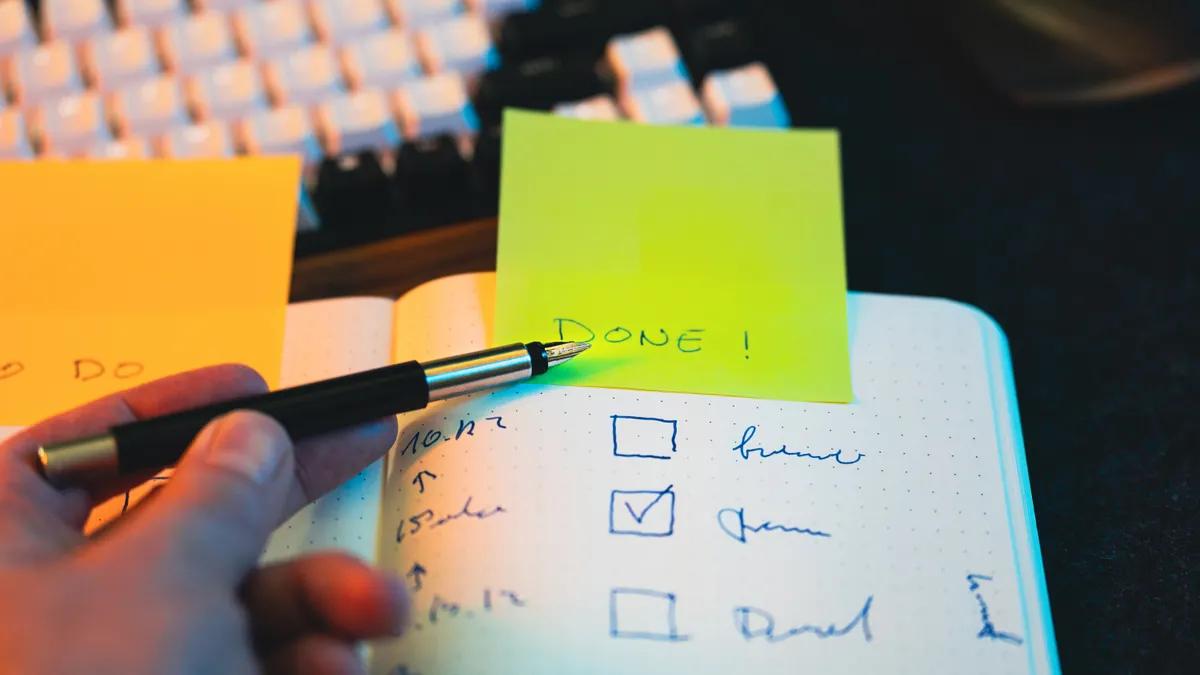
An AI article publishing checklist should cover fact check, link check, formatting, metadata, and final review. Those five areas catch the mistakes that are easy to miss after generation because they hide in plain sight: one unsupported claim, one dead internal link, one heading level out of order, or one meta title that truncates in search results.
Here is a practical core sequence I would use for a publish-ready pass:
- Read the headline and deck in the CMS first. Confirm the topic matches the target query, the angle is narrow enough, and the title stays under roughly 60 characters if you want less truncation in search results.
- Scan every factual claim in the body. Mark names, dates, standards, product features, and any numbers that can be checked. The result should be a draft with every concrete claim either verified or removed.
- Open every internal link and external source. Check that the destination exists, that the anchor text says what the link is about, and that the link still supports the sentence around it.
- Review the structure in the editor. Confirm H2 and H3 order, paragraph breaks, list formatting, pull quotes, and image alt text if the CMS uses it. The page should read cleanly on desktop and mobile.
- Write or edit the meta title and meta description. Aim for a title that fits the page topic exactly and a description that makes a searcher want the click without sounding stuffed with keywords.
- Do a final skim for tone, repetition, and missing transitions. The result should sound like one writer, not like six prompts stitched together.
The value of this order is that it mirrors the real risk profile. A draft can be well written and still fail because the meta description is generic, a heading is duplicated, or the CMS strips out a list style on publish. A checklist catches those issues before they become a cleanup ticket after launch.
The part many generic guides miss is the “supports the sentence around it” test. A correct link can still be wrong if it interrupts the logic of the paragraph. That is a publishing problem, not just a technical one.
For more on page-level review, the publishing workflow should sit next to this checklist, and a content QA checklist can help teams standardize the pass.
How do you do a fact check on an AI draft?
A fact check on an AI draft means verifying every claim that a reader could challenge with a search, a source, or a screenshot. That includes product names, standards, feature descriptions, rankings, dates, and any statistic-like number in the text.
Start with a slow read through the draft and mark each statement that is concrete rather than interpretive. A sentence like “this format improves clarity” is judgment; a sentence like “this format uses H2 and H3 headings” is checkable. The second kind needs confirmation. If the draft mentions a standard, use the exact name of the standard, not a fuzzy label. If it names a platform feature, confirm the current feature name in the platform itself. If it cites a date, verify the date in the original source, not in a secondary summary.
The easiest misses after AI generation usually come from overconfident wording. Phrases such as “always,” “never,” “guarantees,” and “the best” should make the editor stop unless the draft can support that level of certainty. Otherwise, soften the language or remove the claim. A good publishing pass protects the article from sounding more certain than the evidence allows.
Two source types are worth keeping close during this step: the organization that owns the product or standard, and a trusted reference that explains the term clearly. For style and terminology, the Associated Press Stylebook and Merriam-Webster can help with consistency; for technical or standards-based claims, the standards body or platform documentation should win. If the draft cites a source you cannot verify in under 2 minutes, treat it as suspect.
One useful habit is to read the draft aloud and listen for claims that sound too polished. AI often smooths over uncertainty, which makes weak claims sound authoritative. That polish is a risk, not a benefit, when the underlying fact is thin. For a practical reference point, the Associated Press Stylebook is a standard newsroom guide, and Merriam-Webster is a common dictionary reference.
Which link checks catch the mistakes readers actually notice?
The link checks that matter most are the ones that verify destination, relevance, and placement, not just whether a URL opens. A working link can still be bad if it sends the reader to the wrong page, repeats the same anchor text twice in a paragraph, or points to a source that no longer matches the claim.
Check internal links first, since they are the easiest to miss after drafting. Confirm that each anchor points to the intended page, that the linked page still exists in the current site structure, and that the anchor text is specific enough for a scan reader to understand. “Read more” is weak unless the surrounding sentence makes the target obvious. A phrase like “internal links” should point to a page that really expands that topic, not to a generic homepage or a tag archive.
Then check external links. A source can drift, move, or disappear. If the article references a guide, policy, or definition page, open it in a new tab and confirm it still says what the draft thinks it says. If the page now contains updated guidance, the draft may need a wording change to match. This is especially important when the link supports a definition or a procedural step.
The link pass should also catch overlinking. Too many links in one paragraph make the page feel crowded and can distract from the main point. A cleaner rule is to link only when the destination adds something the reader cannot get from the sentence alone. One or two strong links in a section usually do more good than five scattered ones.
If the draft contains a hub reference, make sure it is one clean mention, not a chain of vague references. For this topic, a sentence can point readers to the broader AI article writer workflow hub without trying to restate it. That keeps the page focused and avoids internal duplication.
What formatting problems should you catch before publish?
Formatting problems to catch before publish include heading order, paragraph rhythm, list consistency, and how the page renders in the CMS on desktop and mobile. These are the issues that make a competent draft look unfinished.
Start with the heading tree. The H1 should appear once. H2s should divide the page into distinct jobs, not repeat the same idea in slightly different language. H3s should only appear under a section that needs them. If the CMS lets you drag blocks, make sure a quote, table, or list did not fall under the wrong heading during editing. A broken heading hierarchy can make a page feel messy.
Next, check paragraph length. A wall of text is hard to scan, but a paragraph chopped into five tiny fragments looks just as awkward. Most editorial CMS setups handle paragraphs well, yet copy-paste from AI tools can introduce stray line breaks, extra spaces, or numbered list errors. Clean those before the page is staged.
The mobile view deserves a separate pass. A heading that looks neat on desktop can wrap badly on a phone, especially if it contains a long keyword phrase. A bullet list can also lose its shape if one item runs too long. Open the draft on a smaller screen or use the CMS preview. The page should still read in a straight line without forcing the reader to zoom.
Formatting is also where image alt text, captions, and callout boxes can go wrong. If the CMS includes a featured image, make sure the caption does not repeat the alt text word for word. If there is a note box, keep it short and specific. A crowded layout suggests uncertainty, even when the content is solid.
How do you write the meta title and meta description last?
You write the meta title and meta description last because they should reflect the final shape of the page, not the draft you started with. If the body changes during editing, the metadata should change too.
The meta title should say what the page is, not what the writer hopes it might rank for. Keep it close to the query, but still natural. If the title is stuffed with variations of the same phrase, it will look thin in search results and in the CMS preview. A clean title usually names the subject plainly and leaves the rest to the content.
The meta description should answer the reader’s “why click?” question in about 1 to 2 sentences. It should not be a summary of every section. It should tell the searcher what problem the page solves, and it should do that in plain English. If the page is a how-to, the description can promise a checklist, a final pass, or a practical sequence. That is better than vague marketing language.
This is also the place to check length and truncation visually in the CMS if the platform shows a snippet preview. Search displays can cut long titles and descriptions, but the exact cutoff varies by interface and query display. So the practical job is not to chase a perfect character count; it is to make the first part of the text carry the full meaning. Google Search Central notes that title links are generated from several signals, not just the meta title alone.
One common mistake is writing the meta description before the article is finished and then forgetting to update it. That creates a mismatch between the snippet and the page. The cost is lost trust before the click. The fix is to treat metadata as part of the final QA pass, and if a team is unsure about wording or compliance, consult an SEO professional or editor with experience before publishing.
What final review catches the mistakes AI leaves behind?
The final review catches repetition, tone drift, and missing edits that look small in the editor but feel sloppy to a reader. It is the last 5-minute scan before publish, and it should be read as if you are a fresh visitor seeing the page for the first time.
Read the opening paragraph again. It should name the subject in a sentence a person would actually say, and it should answer the search question fast. If the first line could open any generic content marketing post, it needs revision. The opening here has to earn the page, not just introduce it.
Then scan for repeated phrasing. AI drafts often reuse the same adjective, the same transition, or the same explanatory structure three times in a row. That repetition is easy to miss when the content is technically correct. A tight editorial pass trims the echo and makes the page sound deliberate.
A final review should also catch what the earlier passes may have missed: one broken bold tag, one list item with a missing period, one source that was linked but never cited in the body, one heading that says nearly the same thing as the heading above it. These are tiny errors, but they make the page feel unedited.
I would also check whether the draft still serves the right reader. A checklist page for publishing should help someone who already has a draft in hand, not someone trying to decide whether to use AI at all. If the article starts drifting into strategy, tool comparison, or SEO theory, it has gone off mission. That is the kind of scope creep that makes a page weaker, not smarter.
A clean final pass usually takes less time than the cleanup that follows a rushed publish. The point is not perfection; the point is to remove the avoidable errors that readers notice first.
Common mistakes that cost you a clean publish
The most common mistakes are skipping the CMS preview, trusting a polished claim without checking it, and publishing with metadata that no longer matches the body. Each one costs something different: a bad preview can break the layout, a false claim can damage trust, and stale metadata can blunt the click.
Another mistake is checking only the first half of the draft. AI-generated content often starts strong and then drifts into vagueness or repetition near the end. That means the last 20 percent deserves as much attention as the opening. If the conclusion restates the same point three times, cut it and make the finish useful.
A third mistake is overcorrecting the draft into blandness. The goal of QA is not to strip out every specific detail. A page with no names, no examples, and no concrete terms is harder to trust than a page with well-checked specifics. The better move is to keep the detail that can be verified and remove the detail that cannot.
This is the part of the process that is not for someone who wants a one-click publish workflow. If the draft needs careful sourcing, moving claims, or a substantial rewrite to stay accurate, then the checklist has done its job by revealing that the page is not ready yet.
Key Takeaways
- A publish-ready checklist is about catching what AI leaves behind: bad facts, weak links, awkward formatting, and stale metadata.
- The best order is the one readers follow: headline, body, links, structure, metadata, then the last desktop and mobile review.
- Fact checking is not optional on concrete claims, especially names, dates, standards, and any precise wording.
- Internal links matter as much as external ones because they shape how readers move through the site.
- A final read in the CMS helps catch the problems that are easiest to miss in raw text.
Drafted with AI; not yet reviewed by a person.